Sending money to a friend should take seconds, not a trip to the bank. This Cash App guide walks US users through setup, key features, and smart safety habits so peer-to-peer payments stay fast and secure.
Cash App has grown from a simple money-transfer tool into a mini financial hub in 2026. Below we cover how to get started, what the app can and cannot do, and the tips that keep your balance protected.
Getting Started With Cash App
Setup takes only a few minutes on any smartphone. You link a debit card or bank account, choose a unique username called a $Cashtag, and you are ready to send or receive funds.
The core service is free for standard transfers. You only pay fees for instant deposits or certain business transactions, which we break down later in this guide.
Core Features Worth Knowing
- Peer-to-peer transfers using a $Cashtag, phone number, or email.
- A free Cash Card that spends your balance anywhere Visa is accepted.
- Direct deposit for paychecks, often available up to two days early.
- Boosts that apply instant discounts at select merchants.
- Basic investing in stocks and Bitcoin from within the app.
How Do Cash App Fees Actually Work?
Most everyday actions are free, but a few carry small charges. Knowing the difference helps you avoid paying for things you can get without cost.
The table below summarizes the fees US users are most likely to encounter in 2026.
| Action | Cost | Notes |
|---|---|---|
| Standard transfer | Free | Arrives in 1-3 days |
| Instant deposit | 0.5% – 1.75% | Sent to your bank at once |
| Sending via credit card | 3% | Charged to the sender |
| ATM withdrawal | ~$2.50 plus operator fee | Waived with qualifying deposits |
Choose standard transfers whenever you are not in a hurry. Set up direct deposit to unlock free ATM withdrawals and squeeze more value from the Cash Card.
Comparing Cash App With Other Money Apps
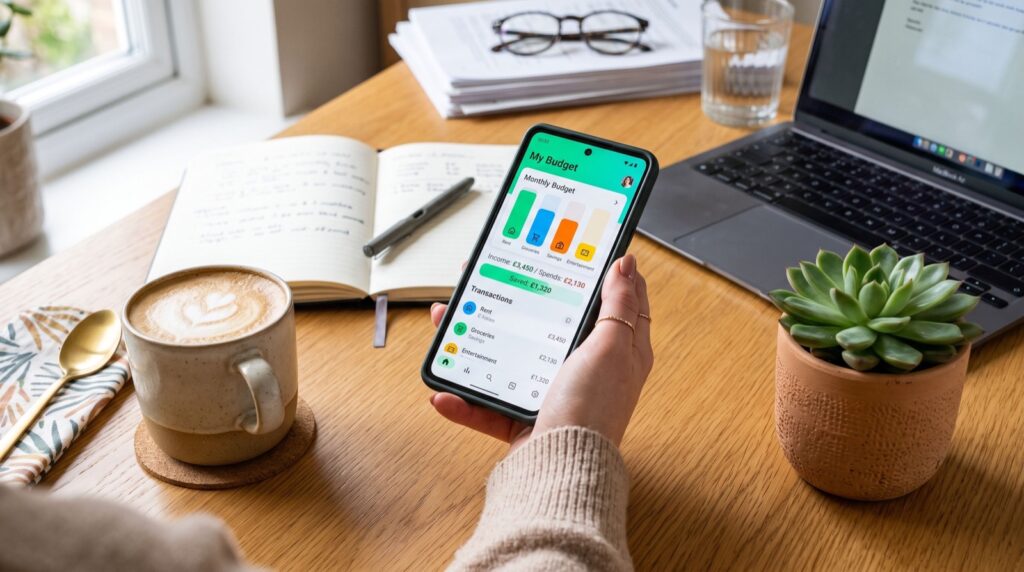
Cash App is convenient, but it is not the only option. Comparing it against a broader list of money apps helps you decide whether it fits your needs or whether a dedicated budgeting tool would serve you better.
For pure budgeting and long-term saving, standalone apps often win. For quick splits and everyday spending, Cash App is hard to beat.
Staying Safe on Cash App
Peer-to-peer apps are magnets for scammers because payments are fast and usually final. A few simple habits keep your money out of the wrong hands.
Never send funds to someone you do not know, and treat any promise of free money as a red flag. The Federal Trade Commission notes that payment-app transfers are difficult to reverse, so caution before you tap send is your best defense.
Security Habits to Adopt Today
- Enable the app PIN, Face ID, or Touch ID lock.
- Turn on transaction notifications to catch fraud fast.
- Double-check every $Cashtag before confirming a payment.
- Keep only spending money in the app, not your full savings.
Following a broader Cash App guide alongside solid Cash App guide resources ensures you understand both the features and the risks before relying on the app for larger sums.
Getting the Most From Cash App in 2026
Used wisely, Cash App can replace several everyday banking tasks. Pair it with a budgeting tool and you get speed plus long-term financial insight.
If you accept payments for a small business or side hustle, working with reputable service experts for bookkeeping keeps your Cash App business activity organized for tax time.
Smart Ways to Use the Cash Card
The free Cash Card turns your balance into a spendable debit card, and Boosts make it genuinely rewarding. Activating a Boost applies an instant discount at partner merchants like coffee shops and grocery stores.
Swap your active Boost based on where you shop that week. A little planning around your regular purchases can shave real dollars off your monthly spending without any extra effort.
Set up direct deposit to unlock perks such as free ATM withdrawals and earlier paycheck access. These benefits stack up and make the card far more useful than a simple prepaid alternative.
Know the Limits Before You Rely On It
Cash App is excellent for quick payments, but it is not a full replacement for a bank in every situation. New accounts face sending and receiving limits until you verify your identity.
For large or long-term savings, a dedicated account with stronger insurance and higher yields is the safer home. Keep Cash App for spending money and everyday transfers rather than your entire financial life.
Using Cash App for Investing and Bitcoin
Cash App lets you buy stocks and Bitcoin directly, often with as little as one dollar. That low barrier makes it a gentle on-ramp for first-time investors who feel intimidated by traditional brokerages.
Fractional shares mean you can own a slice of a pricey stock without buying a whole one. This flexibility lets beginners diversify with small amounts while they learn how markets behave.
Treat these features as a starting point rather than a full strategy. For serious long-term investing, a dedicated brokerage or retirement account usually offers more tools, research, and tax advantages.
Keep Records for Tax Season
Selling stock or Bitcoin at a profit can trigger taxes, so keep clear records of every transaction. Cash App provides statements you can download when it is time to file.
If your activity grows, a simple tracking habit saves headaches later. Note the date, amount, and purpose of larger transfers so your annual paperwork stays painless and accurate.
Frequently Asked Questions
Is Cash App safe to use?
Cash App uses encryption and fraud monitoring, so it is safe when you follow good habits. Enable the security lock, verify every recipient, and avoid sending money to strangers, since transfers are hard to reverse.
Does Cash App charge fees to send money?
Standard transfers funded by your balance or bank account are free. Cash App charges a fee for instant deposits and a 3% fee when you send money using a linked credit card.
Can I use Cash App without a bank account?
Yes, you can hold a balance and use the Cash Card without linking a bank. However, connecting a bank or debit card makes adding and withdrawing funds much easier and unlocks direct deposit.
How is Cash App different from a budgeting app?
Cash App focuses on sending, spending, and basic investing, while budgeting apps track spending and help you plan. Many users pair the two, using Cash App for payments and a separate app to manage their overall budget.
Ready to Master Your Money?
This Cash App guide gives you the setup steps, fee knowledge, and safety habits to use the app with confidence in 2026. Combine it with a dedicated budgeting tool for the best of both speed and insight. Explore trusted money apps today and take full control of how you send, spend, and save.